
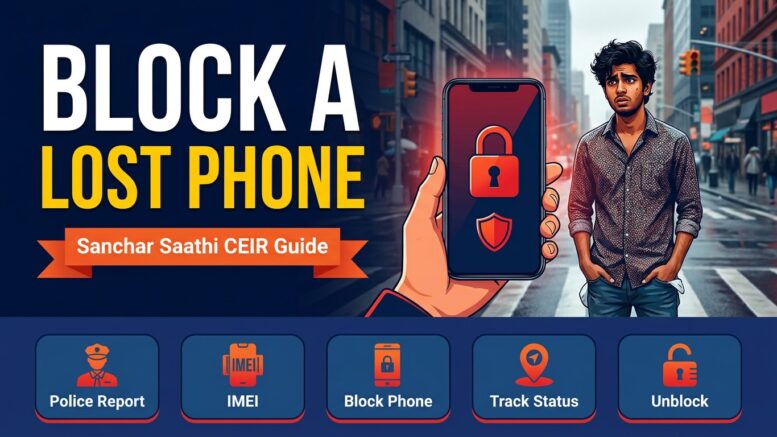
Lost your phone or had it stolen? You can block a lost phone on Sanchar Saathi, the Department of Telecommunications’ (DoT) free portal, so that it stops working on every Indian network and becomes far easier to trace.
Key takeaways
- Sanchar Saathi uses the Central Equipment Identity Register (CEIR) to block a phone’s IMEI across all Indian telecom networks.
- You need a police complaint number, the IMEI, a working mobile number for OTP and an ID proof.
- If the phone is found, you can unblock it on the same portal using your Request ID.
- You can also check whether a second-hand phone is genuine by sending KYM and its IMEI to 14422.
What is Sanchar Saathi and CEIR?
Sanchar Saathi is a citizen portal and app run by the Department of Telecommunications to protect mobile users. One of its main modules is the Central Equipment Identity Register (CEIR), a national database of mobile handsets linked by their IMEI numbers. When you block a phone through CEIR, all telecom operators deny network service to that IMEI, and any attempt to use the phone with a new SIM can be flagged to police.

The IMEI (International Mobile Equipment Identity) is a 15-digit number unique to every handset. Dual-SIM phones have two IMEI numbers.
What do you need before blocking a phone?
Keep these ready before you start, as the form asks for all of them:
- Police complaint or FIR number and the police station name (many states allow online lost-article reports).
- IMEI number(s) of the phone, found on the box, purchase invoice, or your Google/Apple account device list.
- A working mobile number for OTP, ideally the duplicate SIM of your lost number.
- ID proof such as Aadhaar, driving licence or voter ID.
- Purchase invoice (helpful, and sometimes requested).
How to block a lost phone on Sanchar Saathi: step by step
- Go to the Sanchar Saathi portal or open the Sanchar Saathi app.
- Select “Block your lost/stolen mobile handset” under citizen services.
- Fill device details: mobile numbers used in the phone, IMEI numbers, brand, model and invoice.
- Fill loss details: date, place, state, district, police station and complaint number, and upload the complaint copy.
- Fill owner details: name, address, ID type and number, and an email address.
- Enter the mobile number for OTP, verify it, tick the declaration and submit.
- Note the Request ID shown on screen and sent by SMS. You need it to track or unblock the phone.
How to check status and unblock a found phone
To check progress, choose “Check lost/stolen mobile request status” and enter your Request ID. The status usually shows as under process, blocked or rejected; rejections usually happen because of mismatched details, according to a Digit how-to guide on the portal.
If you recover the phone, select “Unblock found mobile handset”, enter the Request ID and mobile number, choose the reason, verify with OTP and submit. Unblocking is approved by the authorities and confirmed by SMS.
Other useful Sanchar Saathi tools
| Tool | What it does | When to use it |
|---|---|---|
| Block lost/stolen handset (CEIR) | Blocks the IMEI on all Indian networks | Phone lost or stolen |
| Know Your Mobile (KYM) | Checks whether an IMEI is genuine, blacklisted or duplicate | Before buying a used phone |
| Know mobile connections in your name (TAFCOP) | Lists SIMs issued on your ID; lets you report ones you do not use | Regular check, or after losing ID documents |
| Chakshu | Report suspected fraud calls, SMS or WhatsApp messages | After receiving a scam call or message |
How to check a second-hand phone with KYM
Before buying a used phone (or comparing it with a new mid-range model such as the Motorola Edge 70 Neo), dial *#06# on it to see the IMEI. Then send an SMS in the format KYM <15-digit IMEI> to 14422, or use the KYM option in the Sanchar Saathi app. If the result shows the IMEI as blacklisted, duplicate or not matching the brand and model, do not buy the phone.

Practical tips
- Save your phone’s IMEI numbers in email or a notes app on another device today.
- Block the SIM immediately by calling your operator, then get a duplicate SIM.
- Use Google Find My Device or Apple Find My to lock or erase the phone remotely.
- Change passwords for email, banking and UPI and fintech apps, and inform your bank if payment apps were on the phone.
Common mistakes to avoid
- Entering only one IMEI for a dual-SIM phone.
- Skipping the police complaint; the request cannot be filed without it.
- Losing the Request ID, which you need for unblocking.
- Buying a used phone without a bill or KYM check.
Related reads on TON
- Simple tech tips on how 5G is changing mobile internet
- Digital detox: practical ways to cut your screen time
- How AI makes everyday life easier: simple tech tips
Frequently Asked Questions
Is blocking a phone on Sanchar Saathi free?
Yes. Sanchar Saathi is a free government service run by the Department of Telecommunications. Be wary of anyone charging money to block or trace your phone.
Can I block my phone without an FIR?
No. A police complaint number is mandatory. Many state police websites let you file a lost-article report online within minutes.
Will blocking the IMEI help police find my phone?
Blocking stops the phone from working on Indian networks. If someone inserts a new SIM, the system can alert the police, which improves the chances of recovery.
Does blocking the phone block my SIM?
No. CEIR blocks the handset, not your number. Contact your telecom operator separately to block the SIM and get a duplicate.
How do I find the IMEI if I have lost the box?
Check the purchase invoice, your Google account’s device list or Apple ID settings. If you have the phone, dial *#06#.
Stay one step ahead of phone theft and scams. Bookmark Trending Online Now and follow us for more practical tech guides.
By TON Editorial Team · Last updated November 2026. Check the official Sanchar Saathi portal for the latest details.